Select your JPG
Drop a JPEG above or choose a .jpg or .jpeg file. It is transferred through temporary browser storage on this device.
Turn JPG and JPEG artwork into editable SVG paths. Trace the image in your browser, compare the vector with the original, and download it without sending the source to a conversion server.
The selected JPG moves into the RastaVec editor, where you can inspect the trace and choose what to export.
Drop a JPEG above or choose a .jpg or .jpeg file. It is transferred through temporary browser storage on this device.
RastaVec analyzes the visible colors, starts a trace with suggested settings, and measures the rendered difference.
Adjust detail or smoothing if the edges need work, compare the SVG again, then export the vector.
JPEG does not store transparent pixels and usually uses lossy compression. That is fine for viewing photos, but compression can add small color changes around otherwise clean edges. A tracer may turn some of those variations into extra shapes.
Logos, icons and illustrations saved as high-quality JPEG can still trace well. For a photograph, expect a more interpretive result and potentially many paths; vectorization approximates the original image rather than preserving every pixel-level texture.
Each source is an opaque JPEG with a solid white background. RastaVec traces the JPEG into editable SVG paths; the difference score compares the rendered SVG with its source.
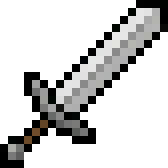 JPEG original
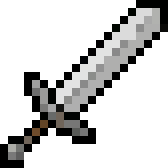 SVG output
 JPEG original
 SVG output
 JPEG original
 SVG output
Yes. JPG and JPEG are two filename extensions for the same image format, and the converter accepts both.
No source transparency is available in a JPEG because it has no alpha channel. Use a transparent PNG or WebP source when you need transparent areas in the result.
Yes, but a photo often contains gradients, texture and compression noise. The trace may create many shapes and will be an approximation, so illustrations and flatter artwork are usually easier to refine.
No. The browser editor processes the image locally with WebAssembly. The landing page hands it to the editor using temporary same-origin storage and removes it when opened.
Yes. RastaVec is free to use in the browser without an account or watermark. You can also download the open-source desktop app or use the CLI.
Start a local trace, compare the output, then take your SVG with you.